Making Git Worktrees work with your tools
Worktrees are a feature of Git that allows you to checkout multiple branches at the same time. To quote the Git documentation example:
You are in the middle of a refactoring session and your boss comes in and demands that you fix something immediately. You might typically use git-stash[1] to store your changes away temporarily, however, your working tree is in such a state of disarray (with new, moved, and removed files, and other bits and pieces strewn around) that you don't want to risk disturbing any of it. Instead, you create a temporary linked worktree to make the emergency fix, remove it when done, and then resume your earlier refactoring session.
I won't go into the details of how to use worktrees, but you can find more information in the Git documentation.
Why now?
Git worktrees have become popular in the last couple of years because of AI agents. Earlier, you might have had only a couple of worktrees - one for reviewing changes and another for your working branch. AI agents, however, can run in parallel and are not limited by your attention. You can even run the same task through multiple agents and compare the results at the end.
Worktrees are useful, yet a production app usually needs environment variables copied, config files generated, and package managers run. Keep using worktrees, but switch to a tool built on top of them.
Worktrunk
Lots of tools going around that do the same thing, slightly differently. But Worktrunk is my favourite.
Here's the command to create a new worktree and start claude code CLI in the new worktree:
I don't want to repeat the entire docs page here, but I will list some of my favourite features.
wt switchbrings up an interactive list of worktrees, where you can even view the diff for each of those.- By adding a
post-starthook in.config/wt.toml, it automatically copies all the gitignored files that you would need—fromnode_modulesto.envfiles - You can start a
claudeorpiagent automatically in the new worktree.
Visual Studio Code
VS Code has built-in support for creating/switching between worktrees. You can manage these through the Git sidebar, Options > Worktrees. You can also use the Command Palette for these operations.
Try: Ctrl+Shift+P > Git: Create Worktree
It does not have any utils for setting up a worktree though. There are some extensions that can help with this.
Cursor
Cursor handles worktrees through a feature called Parallel Agents.
For every new chat you start through the Cursor sidebar, there's an option to select a worktree to run it on.
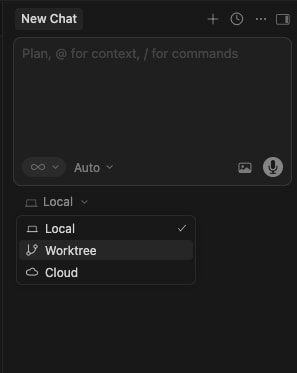
You can also use Cursor worktrees to run Best-of-N runs, where different models run in parallel on the same task. When you select the best run (click Apply), Cursor can then merge changes on worktree into your primary worktree.
In order to setup your worktree, Cursor has a dedicated file .cursor/worktrees.json where you can provide bash scripts to run.
There are separate keys for Unix systems vs Windows systems.
Using these script files, you can move configuration files, run package managers etc.
Zed
Zed supports git worktrees through it's native git extension.
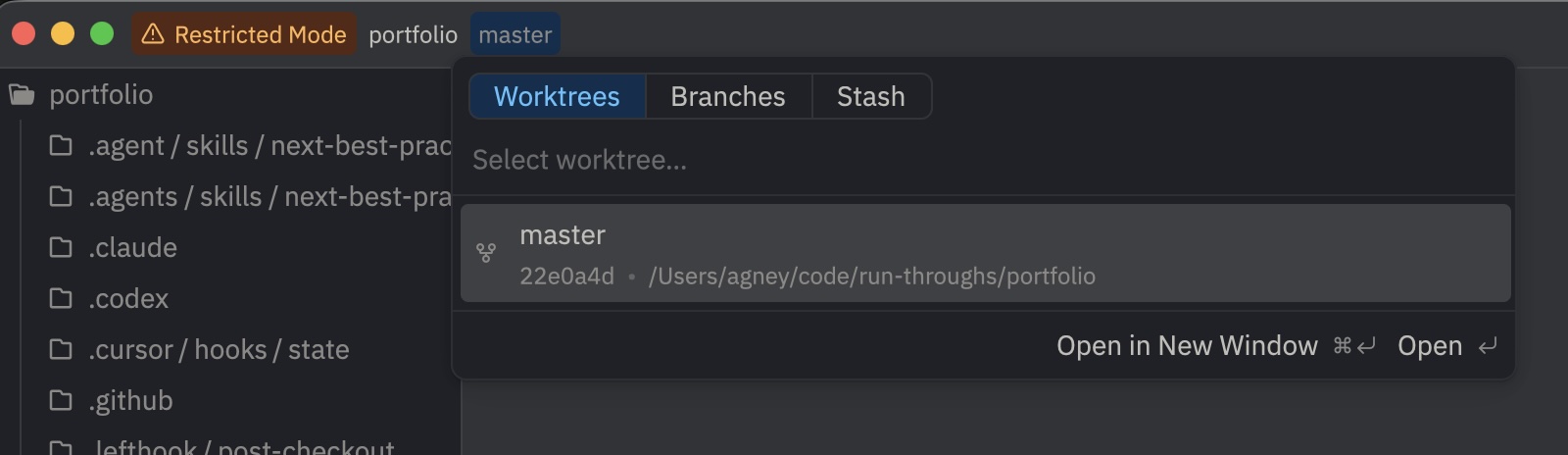
It does not have worktree setup scripts natively though.
Claude Code
I'll start with the CLI, as that's the most popular option with Claude Code.
You can launch a Claude Code CLI instance in a worktree through CLI arguments.
In order to copy files for the worktree, Claude Code includes support for a .worktreeinclude file, which is a list of files to copy to the worktree. This is actually the same file that worktrunk uses.
If you would like to go the extra step, you can replace the behaviour of creating a worktree entirely with a custom script through WorktreeCreate hook. Including this hook will unfortunately also stop the default .worktreeinclude file from being used.
Unlike Cursor, you have to manually create the git worktree in your script as well.
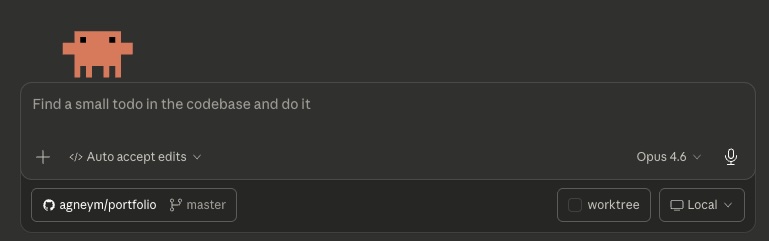
Claude Code Desktop has a simple checkbox that runs your prompt in a worktree, note that the above hook works with this approach just as well.
Codex
Going with the desktop app first, because it's what comes to mind when I think about Codex.
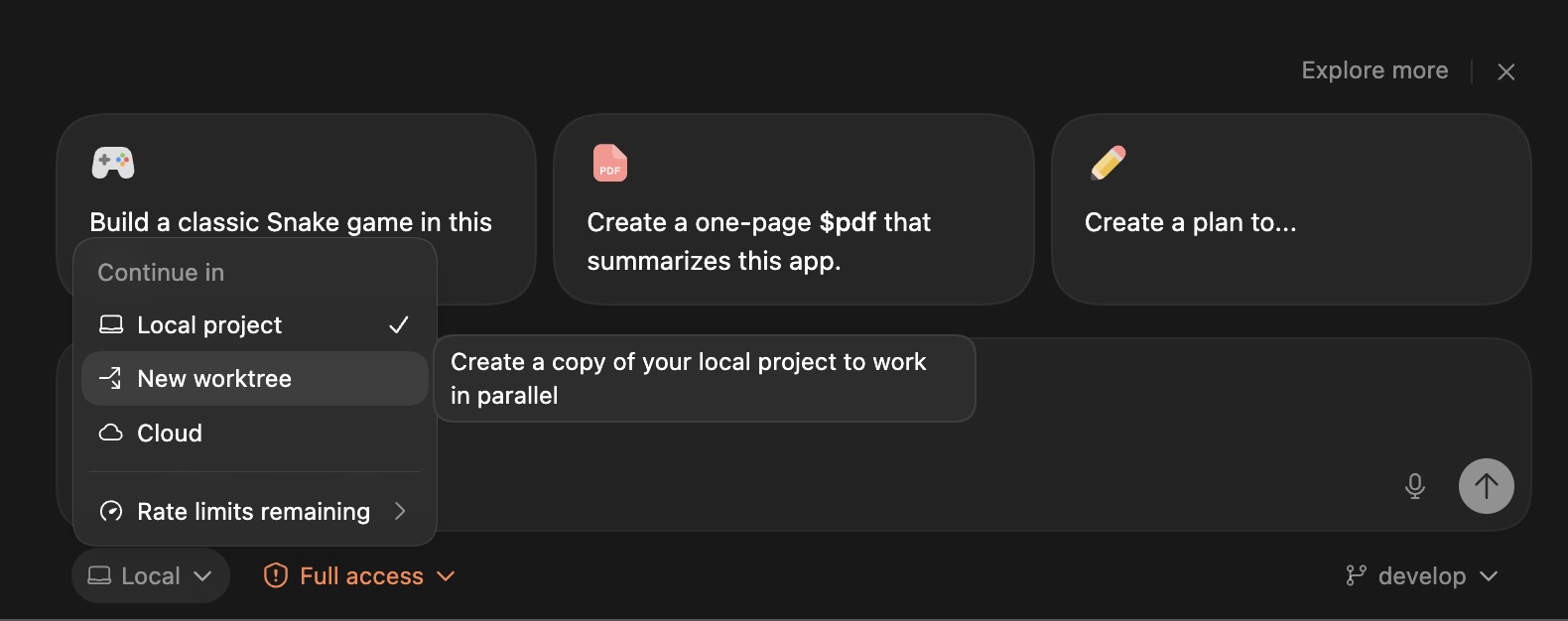
You can select a worktree to run the prompt in.
To setup the worktree, you can use a local environment. Click on Create a local environment and select your project.
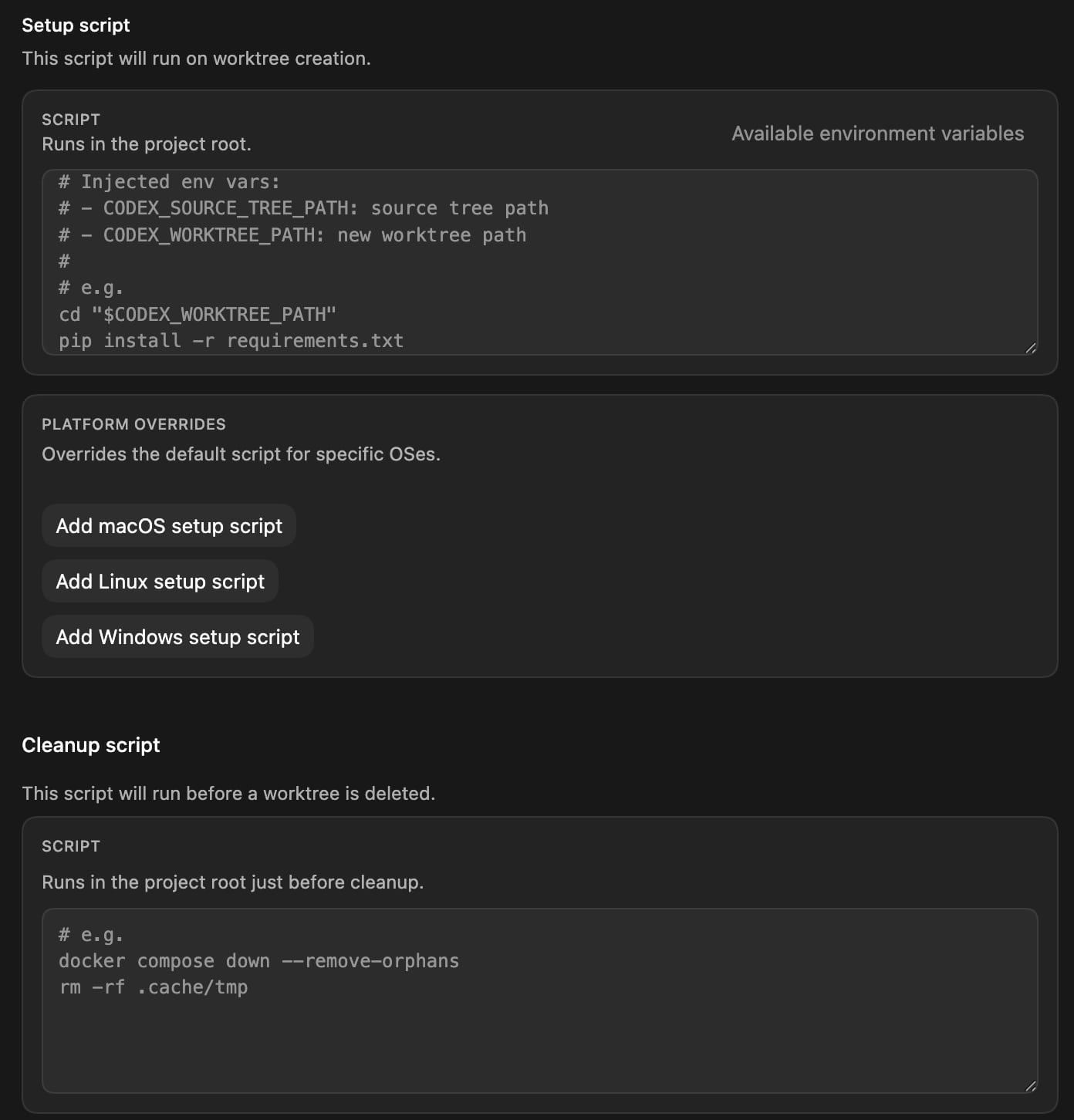
Codex lets you run scripts during creation and cleanup.
My Pick: Worktrunk
I switch between these tools constantly, and juggling their setup scripts is a pain.
Worktrunk has the CLI and the skill, you can ask agents to use wt and it works just as well as the built-in options. If you are just starting out at worktrees, this is the tool I would recommend.
What tools did I miss? Let me know on Twitter.