Cascade Layers - Sub origins

Cascade layers provide a structured way to organize and balance concerns within a single origin. Rules within a single cascade layer cascade together, without interleaving with style rules outside the layer.
If you are already familiar with cascade origins - this is the point I want to make:
Cascade origins is an inbuilt feature to organize and balance concerns. Cascade layers allows developers/authors to create their own sub-origins to organize content. It's user customizable origins.
This is not an indepth look at cascade layers, lots of other resources are available if you are intereted in learning more. I'm linking some at the end of the article.If you are not familiar with cascade origins - read on.
Cascade
Before we get to cascade origins, let's understand the cascade.
Cascade is the process of applying a style to an element. For each style rule applied to an element, an algorithm determines which rules take priority over others.
Cascade determines the style king 👑.
Cascade is the kingmaker.
For each element and each style rule, the browser runs a 7-step cascade algorithm — a filter that narrows down declarations until exactly one value remains for each property.
Click each step to see description for each step:
Key insight: Specificity is only step 5. By the time specificity is considered, the cascade has already filtered by origin, importance, and layers. A single class selector in a higher-priority layer beats a thousand ID selectors in a lower one.
Cascade Origins
The one I want to focus on in this article is Cascade Origins.
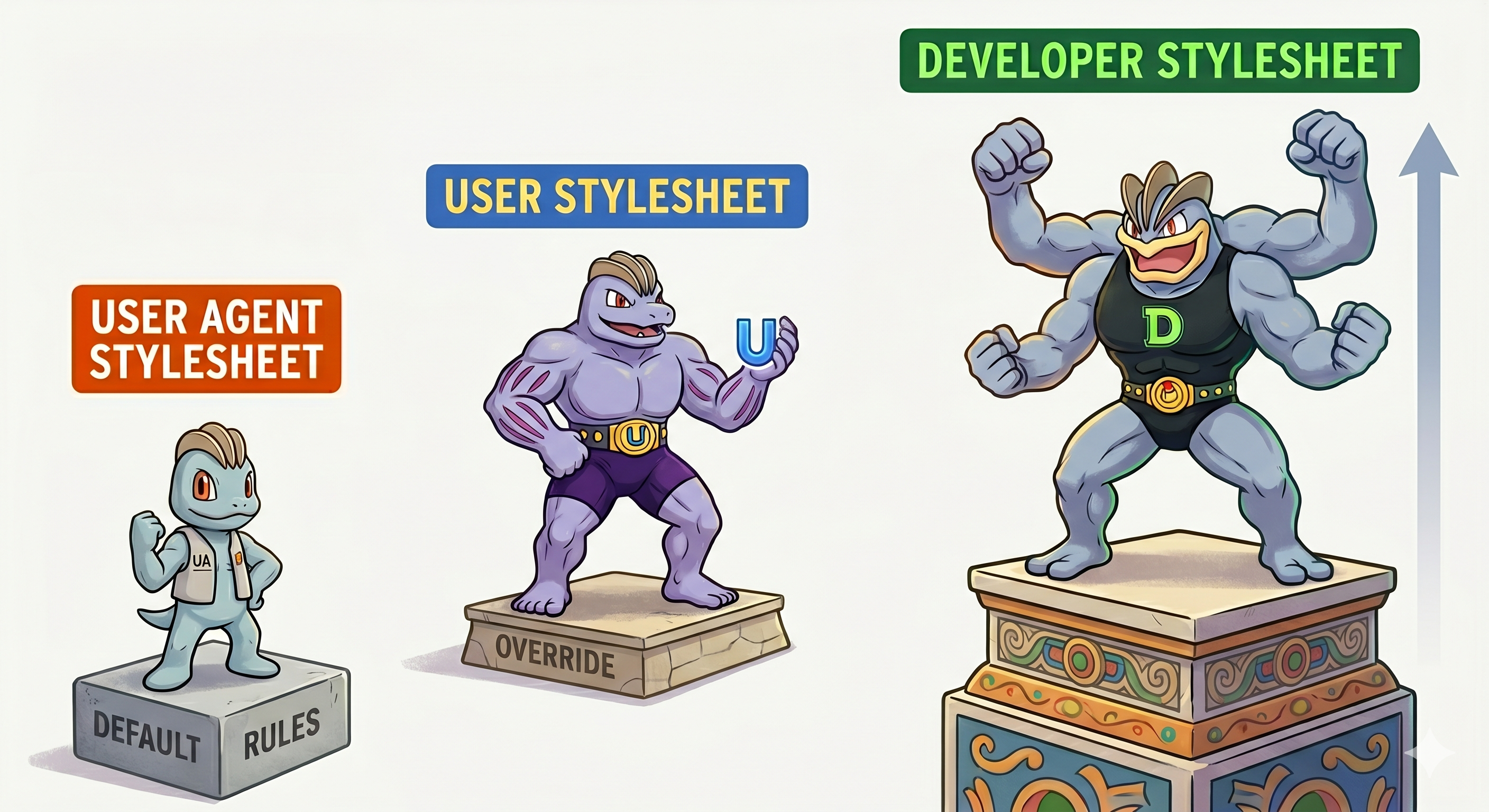
There are three predefined origins in the browser.
User Agent Stylesheet
Browser default stylingUser Stylesheet
Any styling that user has added via browser settings, extensions, or accessibility overrides.
Author Stylesheet
Any styling that the developer has added via CSS files, inline styles, or inline style attributes.
The priority order for these origins is top to bottom. The author stylesheet is the strongest. This means that if there is a rule in the author stylesheet, it will always take precedence over rules from other origins. You don't need to worry about any steps that fall beneath the cascade origins in the cascade pipeline algorithm (with one major exception, which will get to later).
🧪 Quiz
Target Element
<p class="intro">Cascade is the kingmaker 👑</p>Stylesheets
p { font-size: 16px; }p { font-size: 18px; }p { font-size: 14px; }What will the font-size of this paragraph be?
The Caveat
The caveat here is the !important keyword. Before I explain why this keyword matters, we need to understand its function. Whenever you find that the steps in the cascade aren't helping and you can no longer increase specificity, but still need the style to be applied, you use the !important keyword.
Given this scenario, which is the origin stylesheet that needs !important the most?
So important flips the origin priority order.
User Agent !important
With !important, the browser's own defaults become the strongest declarations in the cascade — above even the author's !important rules.
User !important
User !important sits in the middle. It beats author !important but loses to user-agent !important.
Author !important
The author's !important is the weakest of the !important declarations. The exact opposite of normal origin priority.
Cascade Layers
At this point, you should be asking - what is all this got to do with cascade layers? Cascade origins are implemented in the browser. Developers cannot control or rearrange their order.
Cascade layers is the feature that allows developers to create their own origins - calling them sub-origins. These can be controlled by the developer, we can arrange styles in these sub-origins and control their ordering as well.
For the origins we have discussed, here is how an implementation in cascade layers would look:
Resources
- CSS Cascade Spec - W3C
- Cascade Layers - MDN
- Cascade Layers Guide - Mariam Suzzane on CSS Tricks
- Hello, CSS Cascade Layers - Ahmad Shadeed